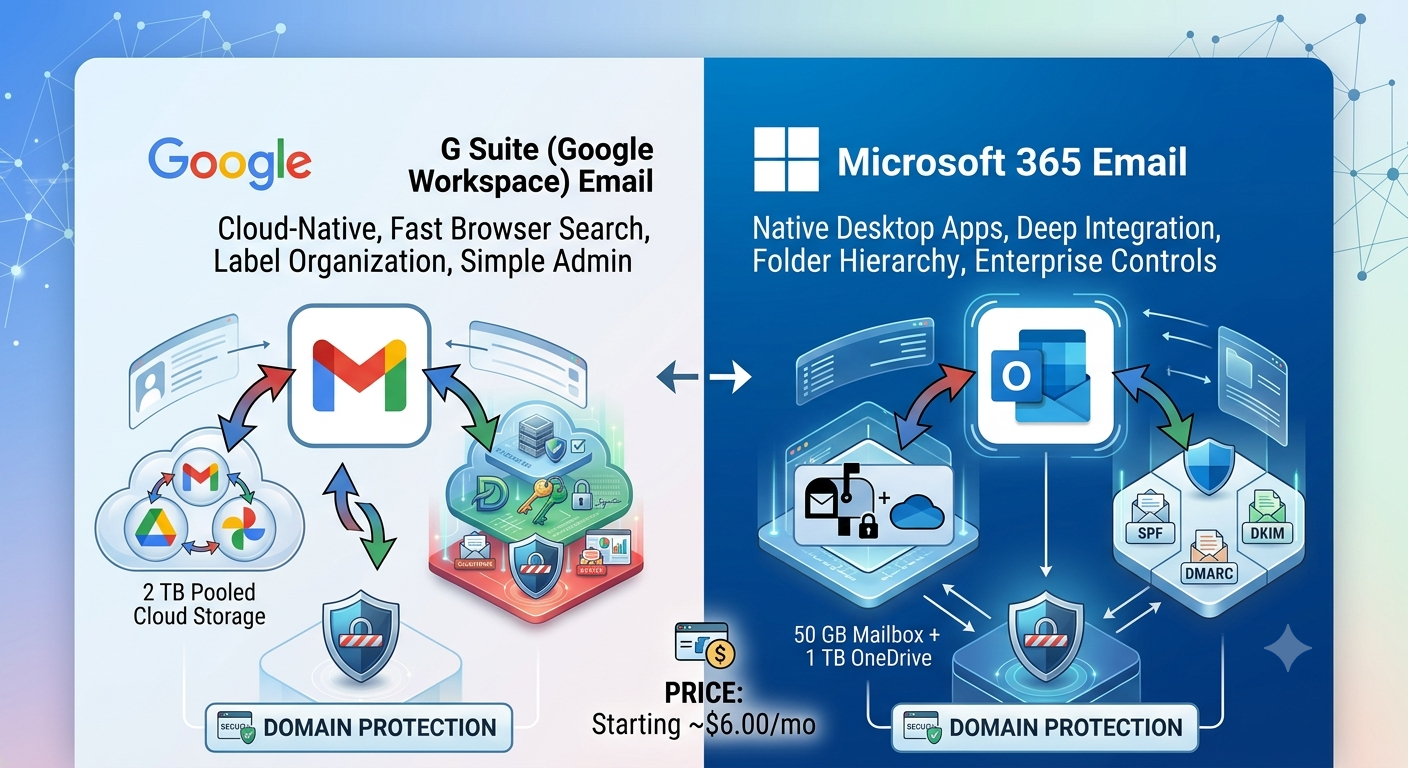
Choosing a cloud email platform for your organization usually comes down to two major ecosystems: Google Workspace (formerly G Suite) and Microsoft 365 (formerly Office 365). While both services deliver high availability, custom domain routing, and strong security defaults, their operational workflows, administrative models, and pricing tiers differ significantly.
This comparative analysis evaluates both platforms across email performance, administrative control, storage policies, security features, and overall cost efficiency.
What Are the Core Differences Between G Suite (Google Workspace) and Microsoft 365 Email?
The fundamental difference lies in architecture and user experience:
Google Workspace (Gmail for Business) operates as a cloud-native platform. It relies heavily on web-browser interfaces, label-based organizational structures, and real-time collaboration tools.
Microsoft 365 (Exchange Online / Outlook) combines cloud infrastructure with native desktop software. It utilizes traditional folder structures, advanced Outlook rules, and deep integration with desktop applications.
Search & Indexing Performance
Google leverages its core search engine indexing inside Gmail. Searching through high-volume mailboxes or multi-year email archives returns near-instant results, even when searching through file attachments and complex search operators.
Microsoft 365 relies on Exchange Search indexing. While Exchange Online handles complex boolean searches efficiently, searching within local Outlook cached files (.ost storage) can experience index latency on larger data stores.
Email Routing & Backend Synchronization Speed
Admin updates—such as creating alias addresses, configuring group routing, or updating DKIM records—typically deploy instantly across Google Workspace servers. Microsoft 365 backend updates through Exchange Online Admin Center or PowerShell scripts may take anywhere from 15 to 30 minutes to propagate globally across Microsoft tenant nodes.
How Do Pricing, Storage, and Mailbox Quotas Compare?
Both services offer tiered subscription models billed per user, per month. However, the way storage is allocated differs between the platforms.
|
Plan Comparison Table
| Feature / Metric | Google Workspace (Business Starter) | Google Workspace (Business Standard) | Microsoft 365 Business Basic | Microsoft 365 Business Standard |
| Starting Cost (Approx.) | ~$6.00 / user / month | ~$12.00 / user / month | ~$6.00 / user / month | ~$12.50 / user / month |
| Mailbox Storage Allocation | 30 GB (Shared with Drive) | 2 TB Pooled per user | 50 GB Dedicated Mailbox | 50 GB Mailbox + 1 TB OneDrive |
| Desktop App Access | Browser / PWA only | Browser / PWA only | Web / Mobile only | Full Desktop Apps (Outlook, Word, Excel) |
| Shared Mailboxes | Uses Google Groups / Licensing | Free Shared Mailboxes (up to 50 GB) | Free Shared Mailboxes (up to 50 GB) | Free Shared Mailboxes (up to 50 GB) |
Key Storage Considerations:
Google Workspace uses a pooled storage model on Standard plans and above. Storage is calculated across the entire organization (e.g., 10 users on Standard get a total pool of 20 TB shared dynamically across Drive and Gmail).
Microsoft 365 isolates storage allocations. A user receives a dedicated 50 GB Exchange mailbox alongside a separate 1 TB OneDrive allocation, preventing Drive files from consuming primary mailbox quotas.
For specialized DNS record configurations, custom domain setups, and reseller provisioning, detailed guides are available via com and additional deployment tools at Google Workspace Admin Help.
Which Platform Offers Better Security, Deliverability, and Administration Controls?
Both platforms enforce standard email authentication protocols including SPF (Sender Policy Framework), DKIM (DomainKeys Identified Mail), and DMARC (Domain-based Message Authentication, Reporting, and Conformance).
Spam Filtering & Inbox Deliverability
- Google Workspace: Out-of-the-box machine learning models filter spam, phishing attempts, and spoofed domains with minimal admin configuration. Outbound IP addresses on Google’s relays maintain clean reputation scores, reducing false-positive spam flagging for transactional emails.
- Microsoft 365: Uses Exchange Online Protection (EOP) and Microsoft Defender for Office 365. EOP allows granular policy customization, complex mail-flow rules, and custom quarantine configurations, though it requires more active IT management to tune effectively.
Admin Console & Identity Management
- Google Workspace Admin Console is streamlined and accessible for non-technical administrators. Managing user accounts, domain aliases, password resets, and two-step verification policies requires minimal training.
- Microsoft Entra ID (formerly Azure Active Directory) provides enterprise-grade identity governance. It includes Conditional Access rules, device management via Microsoft Intune, and deep group policy integration for Windows desktop fleets.
How to Choose the Right Email Service for Your Organization
Select Google Workspace if:
- Your team relies primarily on web browsers, Chrome OS, or macOS environments.
- Fast web search, simple admin overhead, and fluid real-time document editing are high priorities.
- Your company wants to minimize IT administrative overhead and complex policy management.
Select Microsoft 365 if:
- Your company heavily uses desktop apps (especially advanced Excel macros or complex Word templates).
- You maintain an existing Windows Server / Active Directory domain environment.
- You require zero-cost shared mailboxes without buying dedicated licenses for secondary addresses.
Frequently Asked Questions
Q. Is Microsoft 365 or Google Workspace better for small business email deliverability?
Ans. Both platforms offer excellent deliverability when SPF, DKIM, and DMARC DNS records are properly configured. Out of the box, Google Workspace often requires less manual tuning to achieve clean inbox placement, whereas Microsoft Exchange offers more custom transport rule options.
Q. Can I use the Outlook desktop app with a Google Workspace (G Suite) email address?
Ans. Yes. You can connect Gmail to Outlook via standard IMAP/SMTP protocols or use Google Workspace Sync for Microsoft Outlook (GWSMO). GWSMO synchronizes emails, calendar events, and contacts directly between Google’s servers and local Outlook profiles.
Q. How do shared mailboxes work in Google Workspace vs Microsoft 365?
Ans. In Microsoft 365, shared mailboxes (e.g., info@company.com) are completely free up to 50 GB and do not require a separate license. In Google Workspace, shared addresses are created using Google Groups for Business or collaborative inboxes without purchasing additional seats.
Q. Is it difficult to migrate from Microsoft 365 to Google Workspace (or vice versa)?
Ans. Both platforms provide automated migration suites (such as Google’s Data Migration Service or Microsoft’s Exchange Server Migration tools). The main challenge is transitioning user workflow habits—moving from desktop Outlook file structures to Gmail’s web-based search and labeling model.